textue
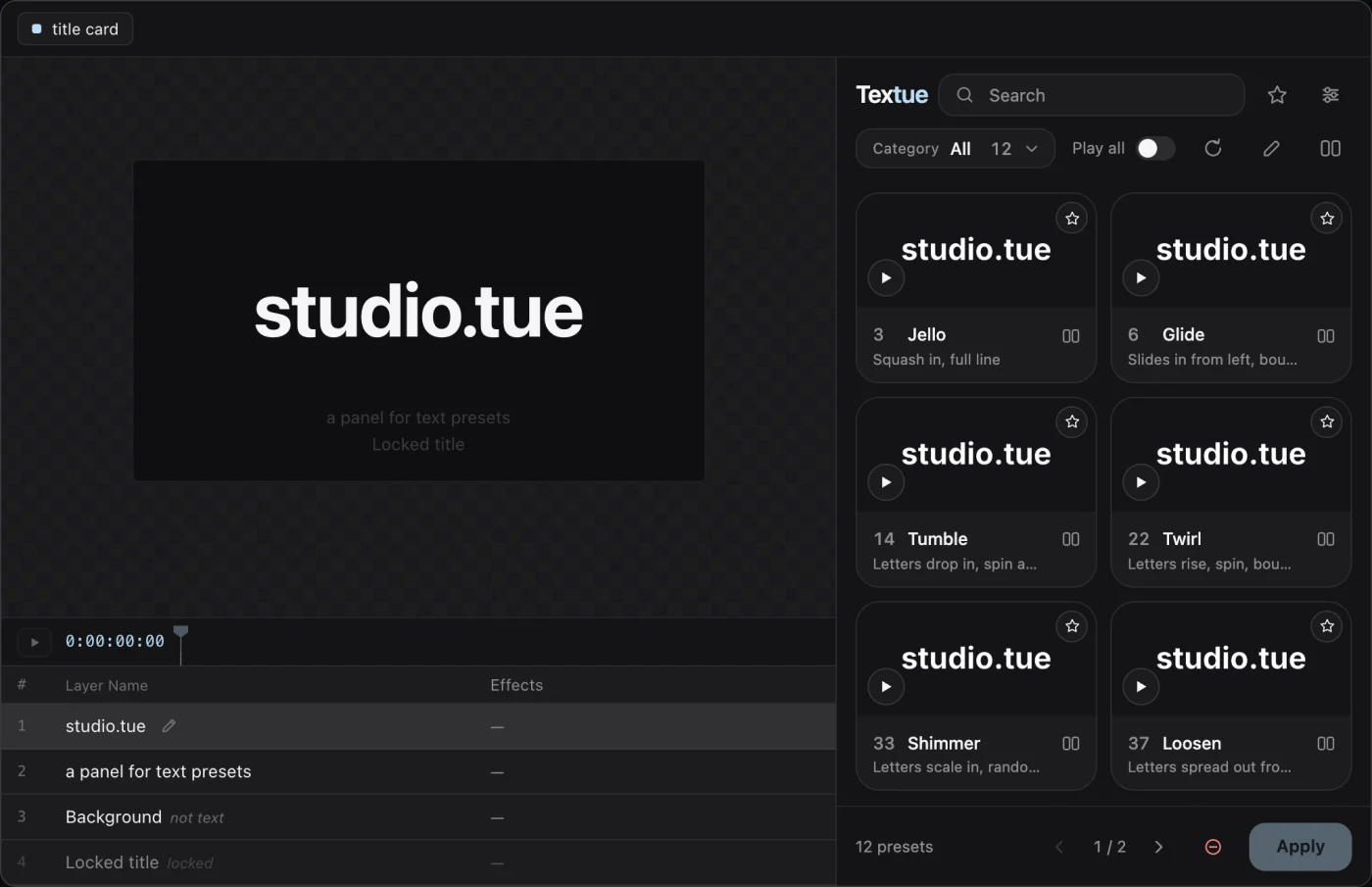
a panel that lives in after effects and shows you what a preset does before you use it.
what it does7 things
every preset is a card with a motion preview. hit play, or turn play all on and watch the whole page at once. find one by name, by category, or by starring the ones you keep coming back to.
comes with 48 presets. named, categorised, and every one previewed. they install into your own folder, so you can rename, re-file or delete them like anything else.
- apply in one undoapplies to the selected text layers, in a single undo.
- speed and spread dialsevery apply adds a speed dial and a spread dial, so you can re-time a preset without touching keyframes.
- take it back offone button removes exactly what textue added... the animator and its dials, and nothing you made yourself.
- compare six at onceplay up to six side by side, in sync, then apply the one you picked.
- add your owndrop .ffx files onto the panel or point it at a folder. it reads them, it never writes to them, and it tells you when one is a near-duplicate.
- review moderename, note, categorise, favourite and remove. all of it reversible, none of it touching the .ffx itself.
- nothing is deletedremoving a preset moves it to a _trash folder.
watch it20 seconds
try it herein your browser
the real textue panel with a dozen of its 48 presets, running in your browser on a pretend comp. play the previews, star the ones you like, compare a few side by side, then apply one to a layer and scrub through it. the panel, its library and the code that applies a preset are the real thing.
what you need
- price
- free
- version of ae
- after effects 2023 through 2026
- platform
- windows
- type
- cep panel, signed
- included
- 48 text animation presets
installing it3 steps
- download and unzipgrab the zip from gumroad and unzip it.
- drag the folder indrag the
Textuefolder into%APPDATA%\Adobe\CEP\extensions\. - restart after effectsthen open it from window → extensions → textue.
it is signed, so there are no registry settings to change. full instructions are in the readme inside the zip.
questions5
- is textue free?
- yes. it is free, and pay what you want if you feel like it.
- does it work on mac?
- no. textue is windows only, for after effects 2023 through 2026.
- can i use my own presets?
- yes. drop your own .ffx files onto the panel or point it at a folder. textue reads them and never writes to them.
- does it change my .ffx files?
- no. renaming, categorising and favouriting happen inside textue. removing a preset moves it to a _trash folder instead of deleting it.
- what does it add to my layers?
- a standard text animator plus a speed dial and a spread dial. one button removes exactly that and nothing else.