nullify
layer names that write themselves, from what's already there.
what it does10 things
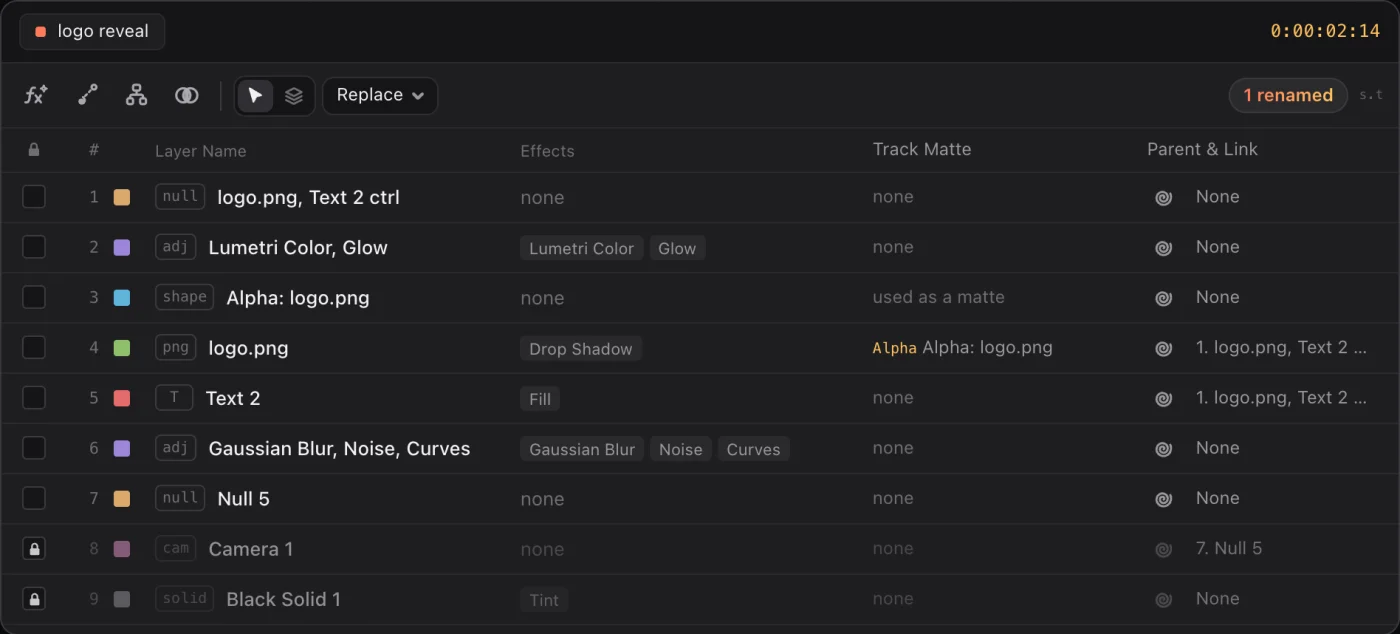
nullify renames layers based on what they already are: the effects on them, the layer they're parented to, the layers attached to them, or the layer they matte. select layers, click a button, and the names update... no typing required.
if you've ever renamed the same batch of nulls and adjustment layers by hand every time a project's structure changes, this is built for that.
- fxnames a layer after the effects on it. long lists shorten themselves.
- parentnames a layer after the layer it is parented to.
- childrennames a controller after the layers attached to it.
- mattenames the matte after its type and what it cuts out.
- one undoone ctrl+z undoes a click, even a project-wide one that renamed hundreds of layers.
- clicking again swapsclicking a second time swaps the piece a button added instead of piling on another.
- locked layers are skippedskipped and counted, and a layer a button has nothing to say about keeps its name.
- every label is yourseffect names, matte labels, the template each button writes, connectors, separators, and how long a name gets before it shortens.
- settings follow youthey live outside your projects, so they survive updates and move between them.
- docks either waywide above the timeline for a single row, tall beside it for a narrow strip. it switches by itself and follows after effects into light or dark.
try it herein your browser
the real nullify panel, running in your browser on a pretend comp. select some layers, click a button, and watch the names change. drag the spirals to reparent, lock layers, open the settings... the panel and its renaming code are the real thing.
what you need
- price
- free, pay what you want
- version of ae
- after effects 2023 through 2026
- type
- cep panel, signed
installing it3 steps
- install the zxpuse the free zxp/uxp installer with
Nullify.zxpfor a one-click install. - or drag it inno installer needed: unzip
Nullify-DragInstall.zipand drag the folder into your adobe cep extensions folder. - restart after effectsthen open it from window → extensions → nullify.
every rename nullify makes is a completely standard after effects layer name. nothing is baked or locked to the panel.
questions5
- is nullify free?
- yes, pay what you want.
- what after effects versions does it support?
- after effects 2023 through 2026.
- can i undo a big rename?
- yes. one ctrl+z undoes a click, even one that renamed hundreds of layers.
- will it overwrite names i chose?
- clicking a button again swaps the piece it added rather than piling on another, locked layers are skipped, and a layer a button has nothing to say about keeps its name.
- can i change how the names are built?
- yes. effect names, matte labels, the template each button writes, connectors, separators and the length before a name shortens are all editable, and settings live outside your projects.